FLUX 3 Image Klein brings local image generation with conditional commercial rights

Black Forest Labs released FLUX 3 Image Klein on October 15, bringing downloadable weights for a 5.6 billion parameter image generator that can create pictures from text, edit images and use up to ten references. The company also offers the distilled model through its API.
For developers, the useful change is a local deployment option with published integration routes. Choosing that route still means checking three separate things. The checkpoint determines the workflow, the implementation determines hardware needs, and the weight license determines which commercial uses are permitted.
Klein is a separate release from the FLUX 3 Image API rollout covered earlier this month. The downloadable image model deserves its own evaluation rather than inheriting conclusions about the broader product family.
Two checkpoints serve different jobs
The distilled checkpoint defaults to 16 sampling steps without classifier free guidance. FLUX 3 Image Klein Base uses 50 steps with guidance set to 3.5 and is intended for adaptation, LoRA training and research. The 5.6 billion parameter figure covers the image transformer alone. The text encoder is Qwen3 VL 4B Instruct.
Hugging Face requires accepting access conditions and sharing contact information before downloading the model files.
BFL advertises output up to 4K and places Klein ahead of several competing models in its internal quality comparisons. Those results are supplier evaluations. They do not establish how the release performs on a particular studio’s assets, prompts or approval standards.
For a team exploring the release, the first decision is therefore straightforward. Evaluate the distilled checkpoint for generating and editing images. Treat adaptation as a separate project with its own training cost and license review.
The 8 GB route depends on the implementation
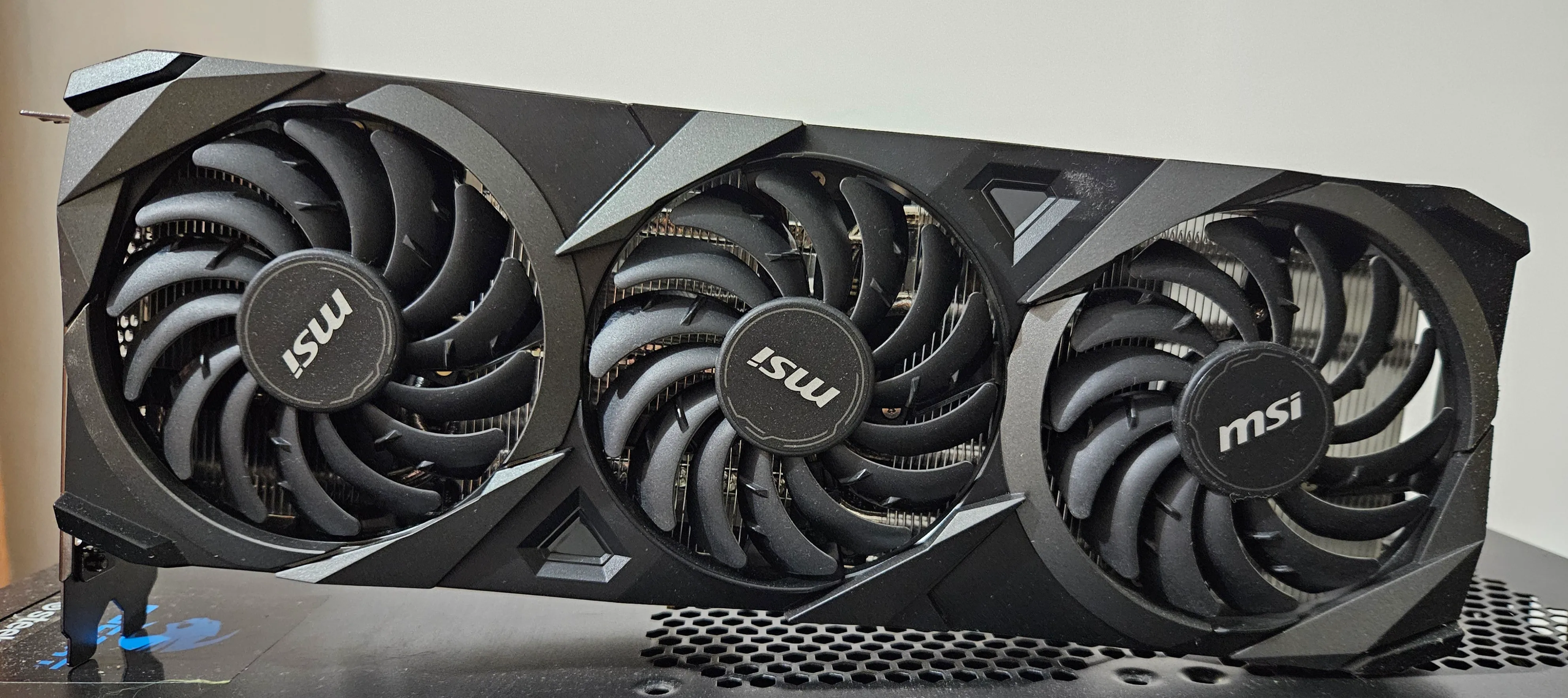
BFL’s reference repository directs owners of an 8 GB GPU such as the RTX 3070 to the INT8 files packaged for ComfyUI. Its own command line implementation has no INT8 path. A general claim that every Klein download runs on an 8 GB card would miss that distinction.
The model card reports peak GPU memory of 31 GB for BF16, 26 GB for FP8 and 25 GB for NVFP4 in the reference implementation on a B200, generating at 1024 by 1024 with the prompt upsampler disabled. The optional upsampler adds about 28 GB on an 80 GB GPU. Weight file size alone is not total runtime memory.
The reference code also limits FP8 support to Ada, Hopper and Blackwell GPUs, while NVFP4 requires Blackwell. These are compatibility details worth checking before downloading a package or estimating a deployment budget.
Hugging Face reports different figures for its Diffusers integration. In its timed test on an H100 with 80 GB and no offloading, the distilled model took 1.93 seconds to generate a 1024 by 1024 image and 3.87 seconds for an edit with one reference. Both used 23.8 GiB peak memory. Results were averaged over three runs after a warmup.
Those measurements describe a specific pipeline and test setup. They should not be combined with consumer GPU claims to promise the same speed or memory use on a laptop. ByteForward has not downloaded the weights or run inference.
Bounding boxes do not lock untouched pixels
The model card says bounding boxes guide placement and scale rather than impose a hard mask. Objects can extend beyond a box, small requested elements may be omitted, and an edit can change content outside the requested region.
BFL separately attributes exact preservation of unedited regions to the pixel restoration feature in its hosted API. The launch announcement lists API pricing from US$0.009 per 1K image. That service feature should not be assumed to follow automatically from downloading the checkpoint.
This matters for a product photograph where a team wants to replace a background while preserving packaging text. A plausible looking result can still introduce an unacceptable change. Compare the original and edited assets at the pixel level wherever exact preservation is part of the requirement.
Commercial rights come with conditions
The reference implementation and prompt upsampler use the Apache License 2.0. The image weights use the separate FLUX Kommunity License. A permissive license on the surrounding code does not replace the terms attached to the model.
The current weights license allows noncommercial uses and gives qualifying users a narrower commercial output exception. Qualification requires gross annualized revenue, including affiliates, below US$5 million. Under that exception, production access is for generating outputs, including outputs from derivatives.
The exception is not blanket permission for commercial fine tuning, distribution or every service built around the weights. It also requires content filtering or review of outputs for unlawful or infringing material, along with AI disclosures where required by law. Uses outside the grant require separately arranged rights.
Revenue is therefore only one part of the deployment decision. A small business still needs to identify what it will do with the model, who will receive the outputs and how the applicable conditions will be met. The license text controls that assessment.
Integration is available but deployment still needs testing
Diffusers supports generation, reference editing, layout control and LoRA workflows from launch. Its modular pipeline allows components to be replaced or separated. The integration article describes running the text encoder first, retaining its embeddings and freeing the encoder before generation. It also documents automatic CPU offloading, while explicitly noting that this option was not benchmarked in the article.
That gives developers concrete paths to investigate rather than a single fixed recipe. A useful evaluation should keep the software version, checkpoint, precision, image dimensions and reference count in the test record.
- Test the same representative prompts and reference images against the existing workflow. Include difficult typography and edits that must preserve approved details.
- Measure the full process, including prompt handling, generation, retries and manual review. A faster first image may still require more work before approval.
- Record which hardware and precision format produced each result. Keep a separate assessment for commercial rights and required output controls.
Klein adds a credible candidate for local image workflows because the release includes weights, runnable reference code and documented integrations.
The next meaningful evidence will be reproducible results on real editing and generation tasks. For now, the release gives teams a concrete model to evaluate, with clear reasons to inspect both implementation choices and licensing conditions.
Archival photograph of an MSI GeForce RTX 3070 VENTUS 3X OC graphics card, taken in 2024. The card illustrates the hardware class named in BFL’s ComfyUI guidance. Photo by TheStriker via Wikimedia Commons under CC BY 4.0. The source photograph is unaltered. Display sizes may vary.