How ChatGPT and Gemini Spark bring AI assistance to Chrome
The chat box is no longer the product. OpenAI’s Chrome extension can read open tabs, YouTube captions, and Google Docs in place. Google’s Gemini Spark update goes further and tries to browse and click for you.

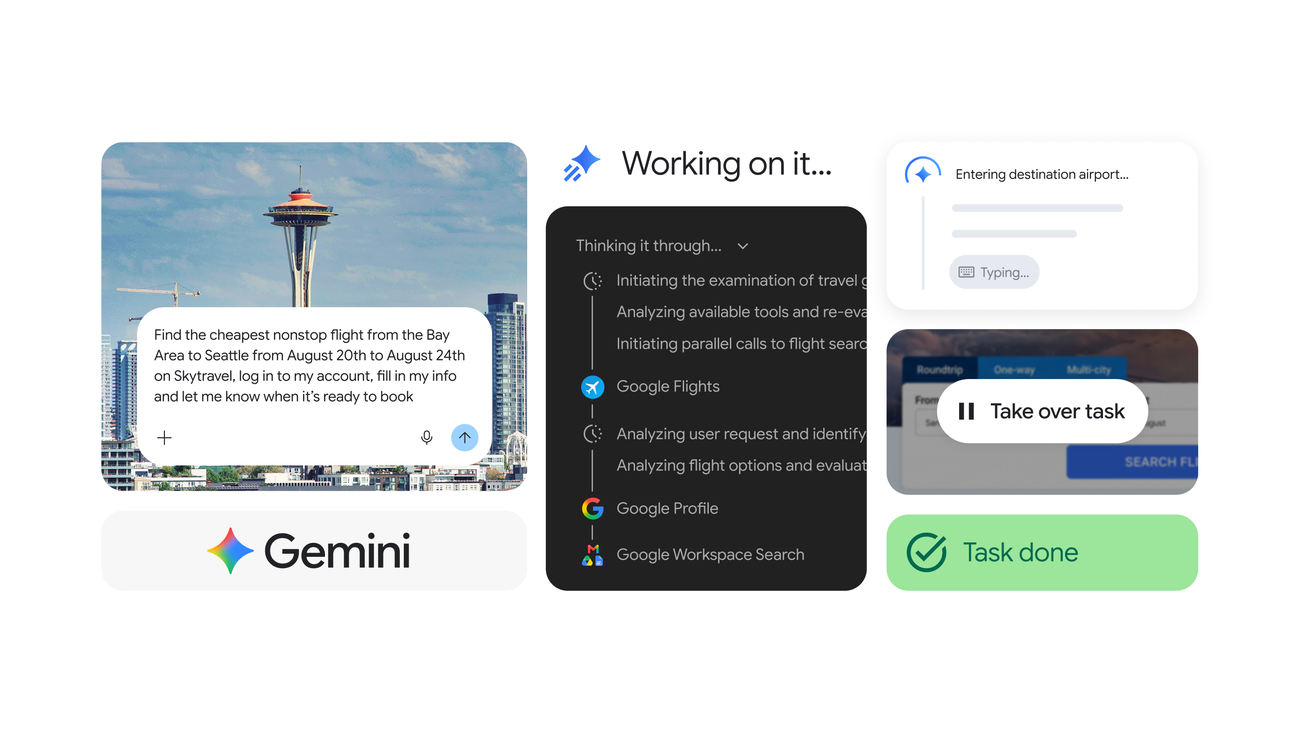
Copy-paste was the last manual step in a lot of AI work. That step is being deleted. OpenAI’s ChatGPT Chrome extension can now sit on the page you already have open. Google’s July 30 Gemini Spark post says Spark can integrate with Chrome and take multi-step browsing work off your hands.
What ChatGPT can see
Availability update added October 1, 2026. OpenAI’s current browser extension documentation lists Chrome, Edge, Brave, Opera, and Vivaldi for tab mentions and browser control from the desktop app. Side chat is supported in all of those except Opera. Availability can depend on rollout and workspace settings. This updates the earlier statement that support was limited to Chrome.
There is a second door: ChatGPT’s built-in browser, invoked with @Browser, which keeps the session inside ChatGPT instead of your logged-in Chrome profile. The extension is for the messy, already-authenticated web. The built-in browser is for the sandboxed one.
ByteForward’s coverage of the ChatGPT Linux desktop preview explains another part of the desktop product rollout.
What Gemini Spark is trying to be
Google’s framing is not a side panel that answers questions about the page. It is an agent that uses Chrome. Secondary coverage of the same launch describes Spark’s Auto Browse as a way to execute multi-step tasks in the browser, not just summarize the tab in front of you. That is a different product bet: ChatGPT is wiring context into the chat. Spark wants the cursor.
The earlier Gemini in Chrome rollout in the UK provides context for Google’s expansion of browser assistance.
The trust problem is the product
Both companies tell you to treat page content as untrusted and review permissions before you let the model continue. They should. A helper that can see Gmail and Salesforce is also a helper that can act there. The useful test is not a demo reel. It is whether you are willing to leave the extension attached to the same profile you use for money, mail, and admin consoles.
Analysis: the browser is becoming the agent runtime, and the chat window is becoming a remote control. ChatGPT’s extension is the conservative version of that idea — context first, action second. Spark is the aggressive version. Watch permission prompts, enterprise admin lock-downs, and whether people actually let either system click through a checkout or a CRM without hovering over the mouse.
Watch the ByteForward breakdown: These New Browser Extensions Change EVERYTHING!.