November Pixel Drop: which Gemini features your phone gets

Google’s November 10 Pixel Drop brings Gemini Intelligence to more phones, but the useful question is not simply whether your Pixel gets the update. It is which feature your exact device, country and account can use. Google says the rollout will continue over several weeks.
What changes, and who should check eligibility
The November Pixel announcement and Gemini Intelligence expansion, both dated November 10, describe separate availability conditions. This is a feature rollout, not a newly released Gemini model.
| Feature | What Google announced | Important limit |
|---|---|---|
| Rambler | Organizes spoken thoughts into text through Gboard on the Pixel 10 lineup | Selected countries and languages; usage limits apply |
| Task automation | Expansion to the UK, India and Japan for multi-step app tasks | Gemini app, eligible devices and users aged 18+; availability varies |
| Create My Widget | Prompt-built widgets using information such as Calendar, Gmail and Search | Rolling out over the next few weeks, in selected markets and languages, for users aged 18+ |
| Proactive suggestions | Contextual assistance on Pixel 10 or newer | Pixel 10a excluded; setup and Gemini app required; selected countries and languages |
| Device Assistance | Help with device settings and configuration | Select Android 17+ devices; device, language and country restrictions |
Google’s widget eligibility list names Pixel 10, 10 Pro, 10 Pro XL, 10 Pro Fold, Pixel 11, 11 Pro, 11 Pro XL and 11 Pro Fold. Do not read “Pixel 10” as shorthand for every phone with 10 in its name. Some features may require a subscription for higher usage.
Dictating a message is not the same as delegating a task
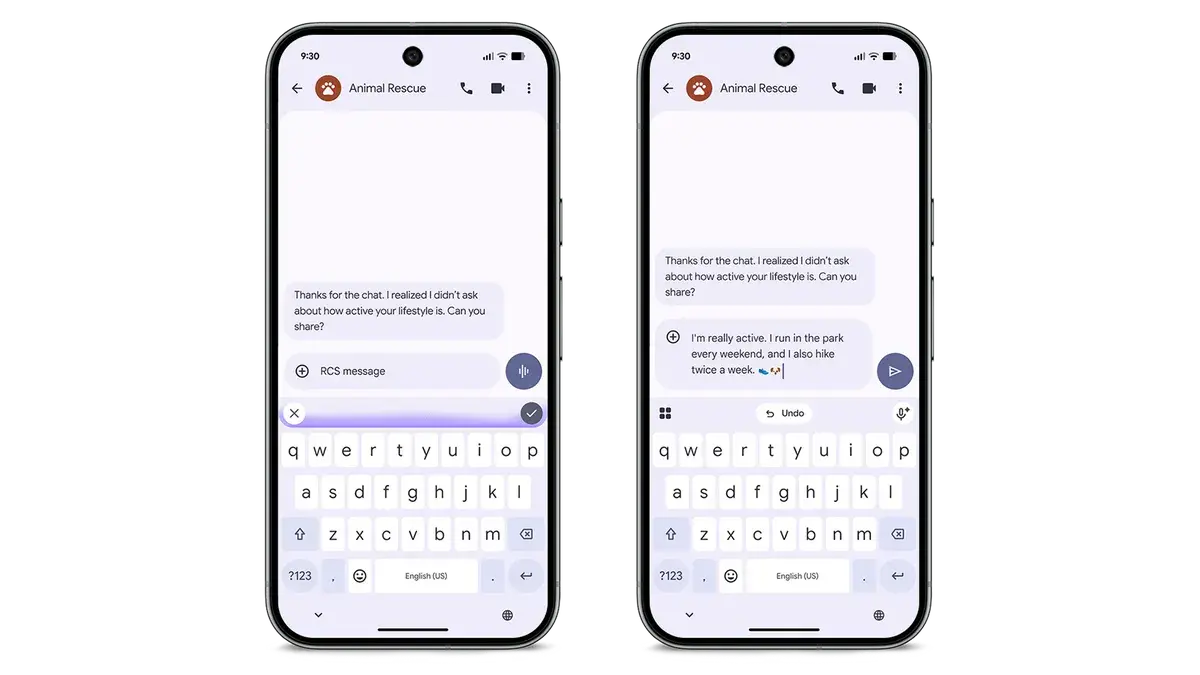
For a reader choosing what to try first, these features have different failure costs. A rewritten message is visible before you send it. An agent working through an ordering or booking flow has to preserve your intent across multiple steps. Treat those as different levels of delegation, even when they share the same Gemini branding.
A sensible first exercise is a low-stakes draft: dictate a meeting follow-up containing a name, a time and one qualification. Check whether the finished message preserves all three. Cleaner prose is not an improvement if “might attend” turns into “will attend.” This is a suggested evaluation, not a test we have run.
For multi-step tasks, decide the stopping point before starting. An assistant can help find an option without having authority to commit you to it. Check the final recipient, destination, quantity or reservation details rather than treating a completed interface flow as proof that the task was understood.
Why a missing feature may not mean a broken update
A release date, device eligibility and account availability answer different questions. The announcement tells you when rollout begins. The device list tells you which hardware Google names. Neither alone proves that a specific feature has reached your account.
Start troubleshooting with the exact feature name and model, then compare the country, language, age and app requirements. If those match, the staged rollout window still matters. Avoid resetting a working phone solely because a newly announced widget has not appeared.
Call Screen is a separate example of why the footnotes matter: its conversational upgrade is announced for the Pixel 11 series in the US, not every phone receiving this Drop. Likewise, Google describes some watch and Android Auto additions as coming soon. Those are not evidence of delivery today.
The practical takeaway
For an existing Pixel owner, the value is in removing friction from a task you already perform, not collecting every new AI toggle. Start with one repeatable workflow, keep the output inspectable, and expand delegation only after checking its results. For a buyer, match the feature you actually want to the named device and region before making the purchase decision.
Source basis: Google’s two November 10 announcements linked above. This guide distinguishes announced eligibility from confirmed delivery and does not claim hands-on performance measurements. Featured artwork and demonstration image: Google, used for editorial identification.