OpenAI expands ChatGPT plugins with app panels and event triggers
OpenAI expands ChatGPT plugins with interface extensions and event triggers. Desktop support, staged web access and reliable delivery remain important limits.

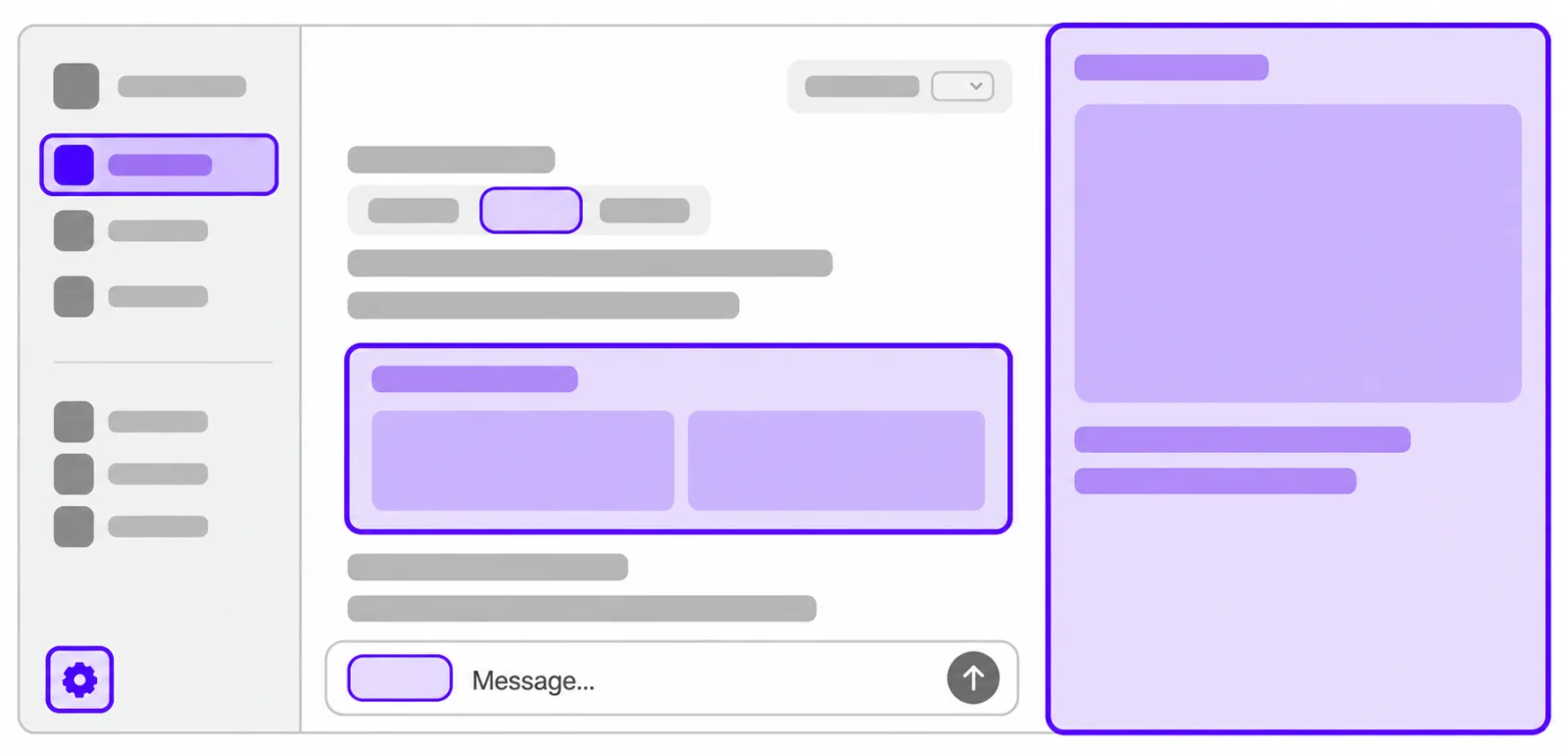
OpenAI’s September 29 DevDay announcements expanded what plugins can do inside ChatGPT. New interface extensions give applications more places to appear, while MCP Events lets activity in connected software trigger an authorized workflow.
The two changes address different parts of using an app. Extensions provide a place to inspect or edit its content. Events provide a reason for work to begin when something changes outside the conversation. Developers need to design both the visible experience and the process behind it.
Plugins gain more interface options
The Extensions guide describes sidebar applications, panels beside a conversation, settings screens and custom file viewers. It also includes richer forms and ways to bring application content into the message composer.
OpenAI lists Canva sidebar tabs, Figma file mentions and Adobe file handlers as examples. These illustrate the intended integrations, rather than establishing that every capability is available on every device or account.
In particular, the guide says web extensions for Free and Go users are coming soon. Existing plugin functionality remains unaffected.
Desktop and mobile support differ
The public OpenAI specification sets out expected launch support. Its web column refers to the Work browser and excludes classic ChatGPT.
| Capability | Expected launch support |
|---|---|
| Sidebar and conversation entrypoints | Desktop, Work web, iOS and Android |
| Custom file entrypoints | Desktop only |
| Composer mentions | Desktop only |
| Rich forms | Desktop and Work web |
A plugin can therefore need more than one interaction path. A file editing workflow built around a desktop viewer should not leave a mobile user looking for a control that the platform does not provide. Our coverage of ChatGPT’s Linux desktop expansion offers background on the desktop surface.
Events need a reliable delivery system
The MCP Events guide describes subscriptions in which users specify what to monitor and what ChatGPT should do. A connected server advertises supported events, stores the subscription and delivers matching updates to a callback.
The integration requires MCP 2.0 and follows a draft Events specification. It supports webhook delivery and callback verification. Polling and streaming delivery are unsupported by this integration. Our July MCP update report covers the underlying protocol revision.
Developers must check the user’s access, verify the callback before sending application data and sign event deliveries. They also need to preserve subscriptions across server restarts and stop delivery when access is revoked.
A successful delivery response acknowledges receipt rather than completion of the requested work. Events may arrive out of order. Write tools should tolerate repeated calls without making duplicate changes, and developers should check for feedback loops when a change produces another event.
What makes a useful plugin release
OpenAI’s testing guidance recommends checking individual capabilities before the complete installed plugin. Its evaluation cases include ordinary requests, different wording, actions requiring authorization and unsupported requests that should not activate the plugin.
That is a practical starting point for the expanded platform. A polished panel helps little if an event launches the wrong operation, a permission failure is hidden or a repeated update causes duplicate work.
For users, the useful outcome is a connected tool that shows what it is doing and responds predictably within the access they approved. For developers, the launch creates more room to build that experience, with device support and delivery behavior still needing explicit attention.
OpenAI illustration of plugin extension surfaces in ChatGPT. Image from OpenAI.