AWS brings SOCI lazy loading to SageMaker training jobs

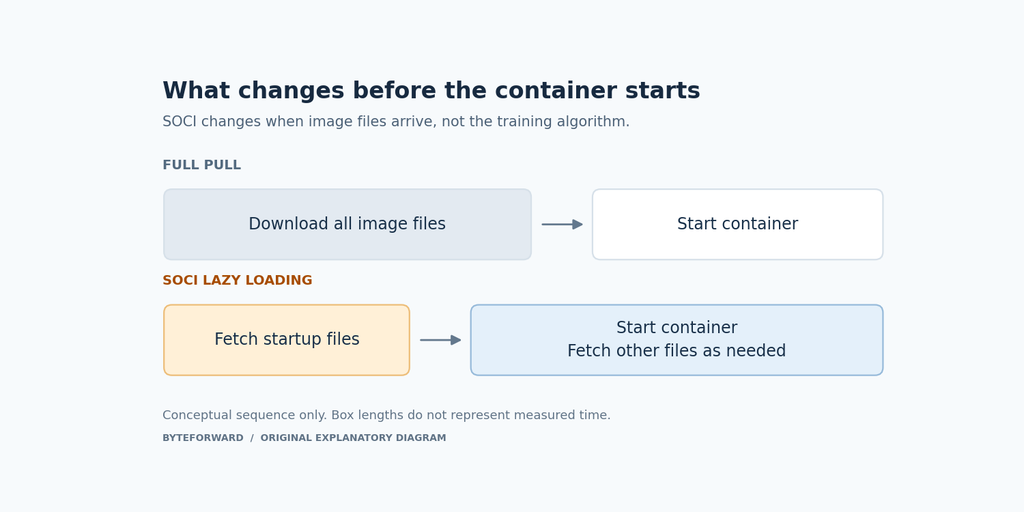
AWS announced SOCI indexing for SageMaker AI training and processing jobs on October 27. It reduces container startup overhead by fetching files as needed instead of waiting for a complete image download.
The distinction matters when choosing what to optimize. Finishing setup sooner is not the same as accelerating every training step. Evaluate the time from job submission to useful work, then the complete job, rather than treating an image-pull benchmark as a model-training speedup.
What changes when an image is indexed
The SOCI snapshotter project is a containerd plugin for loading OCI container content on demand. Its central idea is simple: a program may need only part of a large image to begin. Fetching the remaining files later changes when the download happens, rather than making the application’s dependencies disappear.
The manifest v2 design packages an image and its index into a linked artifact. Its layers are shared with the original image, with additional metadata rather than another full copy of every layer. The packaged index also moves with the image when it is copied between registries.
This differs from older v1 examples that discover a separately attached index. The project says snapshotter v0.10.0 stopped consuming v1 indexes by default. Keep the manifest version in view when comparing tutorials or diagnosing why an image did not load lazily.
Choose the image, not just the suffix
The AWS Deep Learning Containers guide identifies indexed variants with a -soci tag suffix. Its supported families include PyTorch Training, TensorFlow Training, vLLM and SGLang. That catalog is broader than the training-job use case, so choose the framework and deployment variant you actually need.
For example, the guide lists this private ECR image URI for a SageMaker PyTorch CPU container. This identifies an artifact, not a complete job configuration.
763104351884.dkr.ecr.us-east-1.amazonaws.com/pytorch-training:2.9-cpu-py312-ubuntu22.04-sagemaker-v1-sociDo not manufacture an image name by appending the suffix to any tag. Check the published catalog. AWS also distinguishes moving version tags from tags tied to a specific image. A reproducible comparison should record the image you actually resolved, not only the text of a tag that may later change.
Read the startup results with their limits
| AWS test | Standard pull | Lazy loading |
|---|---|---|
| 13.2 GB compressed image | 3 min 42 s | About 6 s |
AWS reports a 3 to 16 second first-epoch penalty in its training tests. Private ECR repositories are required. Other registries and private Docker registry access through TrainingRepositoryAccessMode=Vpc are excluded. Docker-specific startup assumptions need review because the indexed runtime uses containerd.
There is also a documentation boundary. The linked SageMaker developer guide describes Studio and Unified Studio custom images. Its startup estimates apply to that setting. The training and processing announcement is a separate source, so those measurements should not be combined into one universal performance claim.
A comparison worth running before rollout
Our suggested evaluation, not a test we performed, uses the same workload, data, instance type and image contents on both paths. Record container readiness, first-epoch time and total job duration separately. Repeat the run and keep the spread, not only the fastest result.
If startup reads most dependencies immediately, work may shift into initialization. Judge the complete workflow, not an impressive pull-time multiplier.